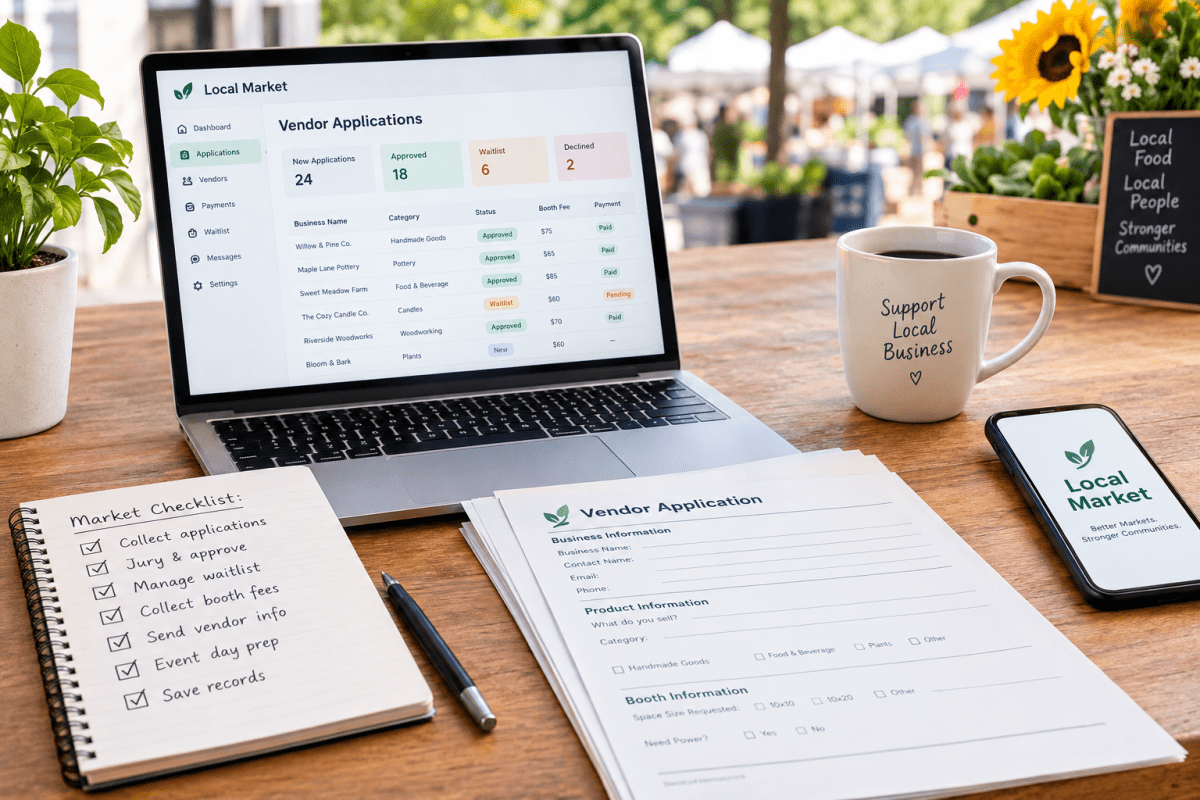
If you run a market, craft fair, or festival, the vendor applications are where the whole thing is won or lost. Get the process right and you fill your event with the right mix of makers, collect your booth fees on time, and spend the week before the show relaxed. Get it wrong and you are buried in a spreadsheet, chasing payments over text message, and scrambling to replace a no-show the morning of. This guide walks through how to manage vendor applications the way a professional organizer does, and shows how Local Market's organizer tools handle each step for you: one clean intake, a fair approval process, a real waitlist, booth fees collected up front, and records you can reuse next season.
Why spreadsheets and DMs fall apart
Most markets start the same way. A Google Form feeds a spreadsheet, applicants message you on Facebook and Instagram, and booth fees arrive by Venmo, check, and cash in no particular order. It works for a dozen vendors. It falls apart at fifty.
The cracks are always the same. You lose track of who paid and who only promised to. Two vendors think they booked the same corner spot. A maker you approved three weeks ago never sends the money and never tells you they dropped out. Someone applies in a category you already filled and you do not notice until setup day. Every one of those problems is a process problem, not a people problem, and every one is fixable with the right system. Local Market was built to be that system, so the rest of this guide shows you both the best practice and how the platform does it for you.
Step 1: Take applications in one place
The first fix is a single, structured application that every vendor fills out the same way. No more half the details in a form and half in your messages. A good market vendor application captures, at minimum:
- Business name, contact name, email, and phone
- What they sell, described specifically, plus their category (so you can balance the mix)
- Links to a website or social page and a few product photos
- Space or booth size requested, and whether they need power or a corner
- Which dates they are applying for, if your market runs on multiple days
- Any required documents: cottage food permit, sales tax number, or a certificate of insurance
How Local Market does it: your market gets a branded public application page you can share in one link. Every vendor answers the same questions, uploads their own photos, and lands in one dashboard, so there is no more stitching together form rows and message threads. When every application arrives in the same shape, comparing vendors and moving to approvals gets dramatically faster.
Step 2: Jury and approve without the guesswork
Jurying simply means deciding who gets in. For a curated market, that is how you protect quality and keep your category balance healthy. Ten jewelry booths at a small show means ten makers splitting the same shoppers, so the goal is a lineup that feels varied to a buyer walking the aisles.
A few rules keep approvals fair and fast:
- Set your category caps before you open applications. Decide how many jewelers, candle makers, or potters you will accept, then approve against those limits.
- Score on consistent criteria. Product quality, fit with your audience, and how the booth will look all matter more than who applied first.
- Approve on a rolling basis or on a set date. Rolling keeps strong vendors from drifting to another show while they wait. A fixed jury date is fairer for a competitive, curated event. Pick one and tell applicants which it is.
- Tell people no, kindly and promptly. A quick, polite decline protects your reputation and keeps good makers willing to apply again next year.
How Local Market does it: you review every application side by side, each with the vendor's photos and category, and approve or decline with one click. You can see your category balance as you build the lineup, so you never discover you accepted eight candle makers until it is too late. If attracting enough quality applicants to be selective is the hard part, our guide on how to recruit vendors for your market covers that.
Step 3: Run a real waitlist
You will always have more good applicants than spots, and you will always have vendors who drop out. A waitlist turns both of those facts into an advantage instead of a fire drill.
When you approve vendors, place the strong runners-up on a ranked waitlist by category. The moment a confirmed vendor cancels or misses a payment deadline, you already know exactly who to offer the spot to, and you can fill it in an afternoon instead of posting a panicked call for vendors.
How Local Market does it: the platform keeps your waitlist ranked for you. When a booth opens up, you promote the next vendor in a click and they are notified automatically, so a last-minute cancellation becomes a two-minute task instead of an empty booth on show day.
Step 4: Collect booth fees at the point of approval
This is the single biggest upgrade you can make. Chasing payments is the worst part of running a market, and it is almost entirely avoidable. The fix is to tie payment to approval: a vendor is not truly confirmed until they have paid.
When a vendor is approved, they should get a clear amount to pay and a firm deadline. If they have not paid by the deadline, the spot goes to the next vendor on the waitlist. That one rule ends the awkward reminder texts and makes sure every confirmed booth represents real, collected revenue.
How Local Market does it: approval and payment are linked. When a vendor accepts, they pay the booth fee online right then, so a spot is never confirmed until the money is in. You get a clean record of who paid, when, and how much, which you will be grateful for at tax time, and you never send another "just following up on your booth fee" text. If you have not set your pricing yet, read the complete guide to pricing your booth fees before you open applications.
Step 5: Communicate clearly and cut no-shows
No-shows usually come from silence, not bad intentions. A vendor who has not heard from you in a month is a vendor who has half-forgotten your event. Steady, predictable communication keeps your lineup committed:
- Confirm acceptance and payment immediately, in writing.
- Send a load-in packet the week before with arrival times, booth assignment, parking, and your cell number.
- Send one short reminder a day or two out.
- State your cancellation and refund policy up front so expectations are set before anyone pays.
How Local Market does it: acceptance confirmations, booth assignments, and reminders go out from the platform, and every vendor has one place to find your market's details instead of scrolling back through DMs. When vendors know exactly where to be and what to expect, far fewer of them vanish, and the ones who must cancel tend to tell you early enough to use your waitlist. Pair this with a solid event-day checklist and show day gets a lot calmer.
Step 6: Keep records you can reuse next season
Every application cycle is building an asset: a vendor database. Keep clean records of who applied, who was approved, who paid, who showed up, who sold well, and who caused problems. Next season, that history lets you fast-track proven vendors, re-invite the makers shoppers loved, and quietly skip the ones who did not work out.
How Local Market does it: your vendor roster carries over year to year automatically. When it is time to plan next season, you re-invite proven vendors in a few clicks instead of rebuilding your list from scratch, so organizers who run a second year on the platform fill it in a fraction of the time.
Put the whole system on autopilot
You can do all of this with a form, a spreadsheet, and a lot of discipline. But the whole point of a system is to remove the discipline you should not need. Local Market handles the intake form, the category caps, the approvals and declines, the ranked waitlist, the online booth-fee checkout, and the year-over-year vendor records in one place, so nothing falls through the cracks between apps. Instead of running your market out of a Facebook group and a spreadsheet, you get a real application pipeline and a roster that grows with you. If you are still running everything through social media, it is worth understanding why Facebook is a risky place to run vendor events, and you can see the full toolset on our market management software page.
The bottom line
Managing vendor applications well is not about working harder in the weeks before your event. It is about setting up a process once: one application, clear jurying, a ranked waitlist, booth fees collected at approval, steady communication, and records you keep. Local Market gives you all six out of the box. New to this, or building your first event from scratch? Start with our pillar guide on how to host a farmers market, then create a free organizer account and run your next application cycle without the spreadsheet chaos.